

From the ad to net collection
In e-commerce, receiving an order is not the same as making a sale.
An order may come from the store or one of the marketplaces. It then needs review, confirmation, stock reservation, picking, and shipping. It might be delivered on the first attempt, or postponed, refused by the customer, or sent back for an exchange.
Meanwhile, the customer may pay online, transfer the money directly, or the courier remits the collected amount in a later settlement.
That's why online operations cannot be measured by order count alone. What matters is knowing what happened to each order: what left the warehouse, what was delivered, and what was actually collected.
The catalog is where operations start
Before the ads and the orders, every product needs a clear definition in the system:
A customer never buys a generic product. They buy a specific color in a specific size. Get a variant mapping wrong and the damage doesn't stop at the website; it flows into picking, inventory, costing, and returns.
Product data is managed in one place, then linked to the store and each platform, keeping every channel's matching code.
Where did the order come from?
Orders enter the system from the online store, the marketplaces, or the customer service team, carrying their original data:
No one re-keys the order, and the sales order in the system never drifts apart from the original order on the store.
Orders taken manually over the phone or WhatsApp enter the same cycle too, without getting mixed into store orders or losing their source.
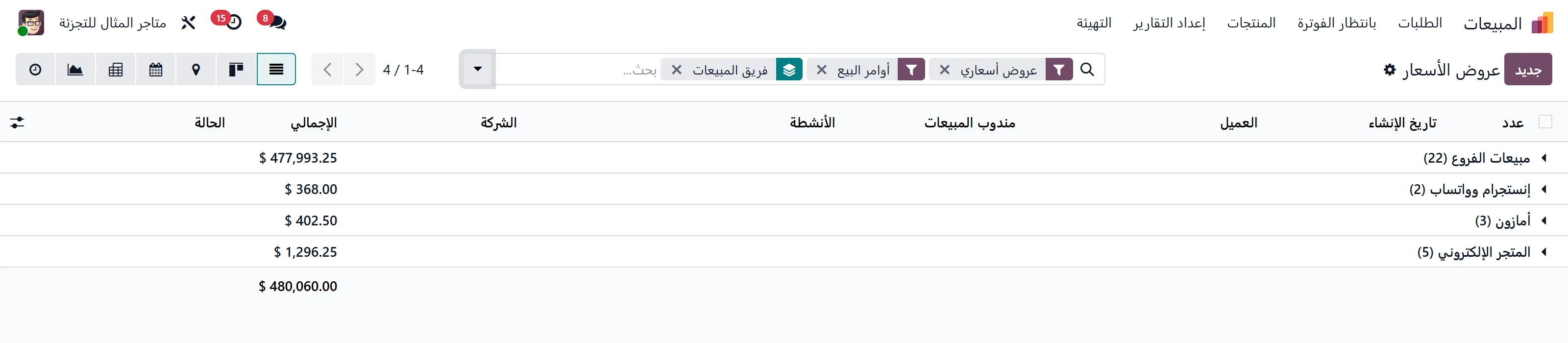
Confirmation before picking
Not every incoming order is ready to ship.
Each order first passes through the confirmation team, which reviews:
It then moves to one clear status:
This stage stops orders going out with an incomplete address or a wrong number, and lets you measure the gap between orders received and orders that actually became shipments.
Stock reservation
Once an order is confirmed, the system reserves the quantities from the right warehouse.
If the company runs more than one warehouse, the fulfillment source can be set by:
Inventory is never one unexplained number: you see available, reserved, in transit, and incoming, for every variant, in every warehouse.
And if the brand manufactures through third parties, finished-product needs link to supply or subcontracting orders and inspection: pieces become sellable only after they're received and pass quality.
Barcode picking
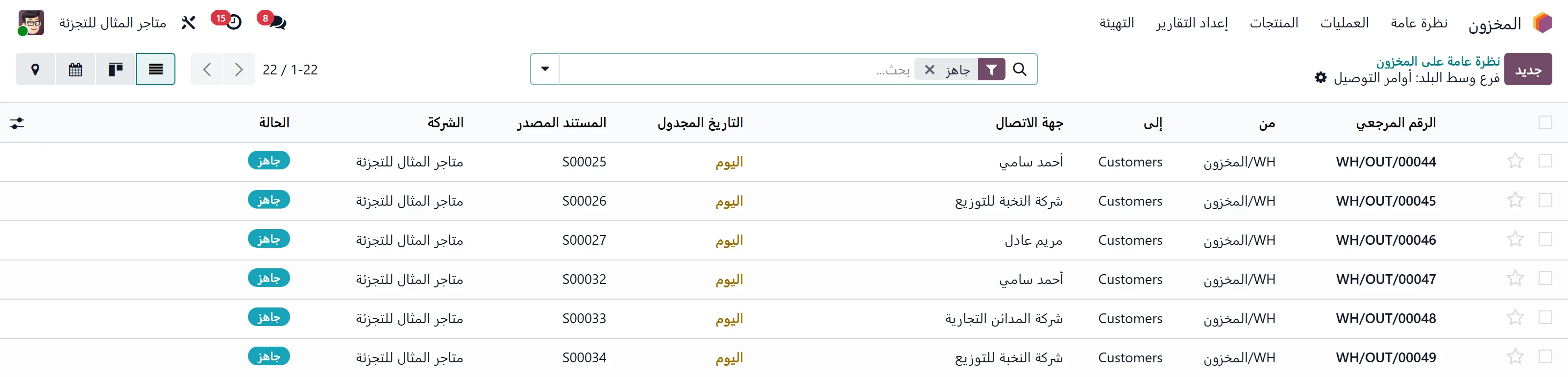
Ready orders can be grouped into picking batches instead of opening each order on its own.
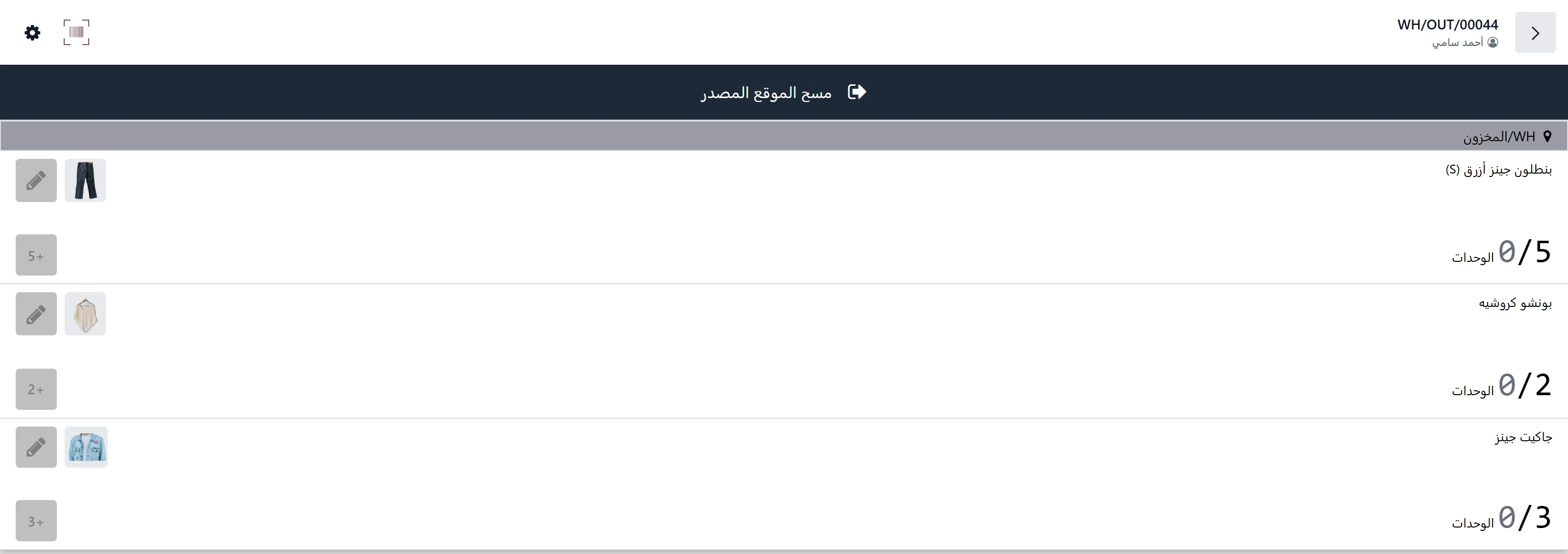
Inside the warehouse:
- 01 Shipping labels are printed for the batch.
- 02 The picker scans the label number, which opens the right order.
- 03 They scan the barcode on every piece.
- 04 The system checks the picked pieces against what the customer ordered.
- 05 The order won't close if a color, size, or quantity is wrong.
- 06 Once picking is complete, the order is ready to hand to the courier.
The order number, the shipping label, and the pieces inside the parcel are tied together, instead of relying on visual checks and memory.
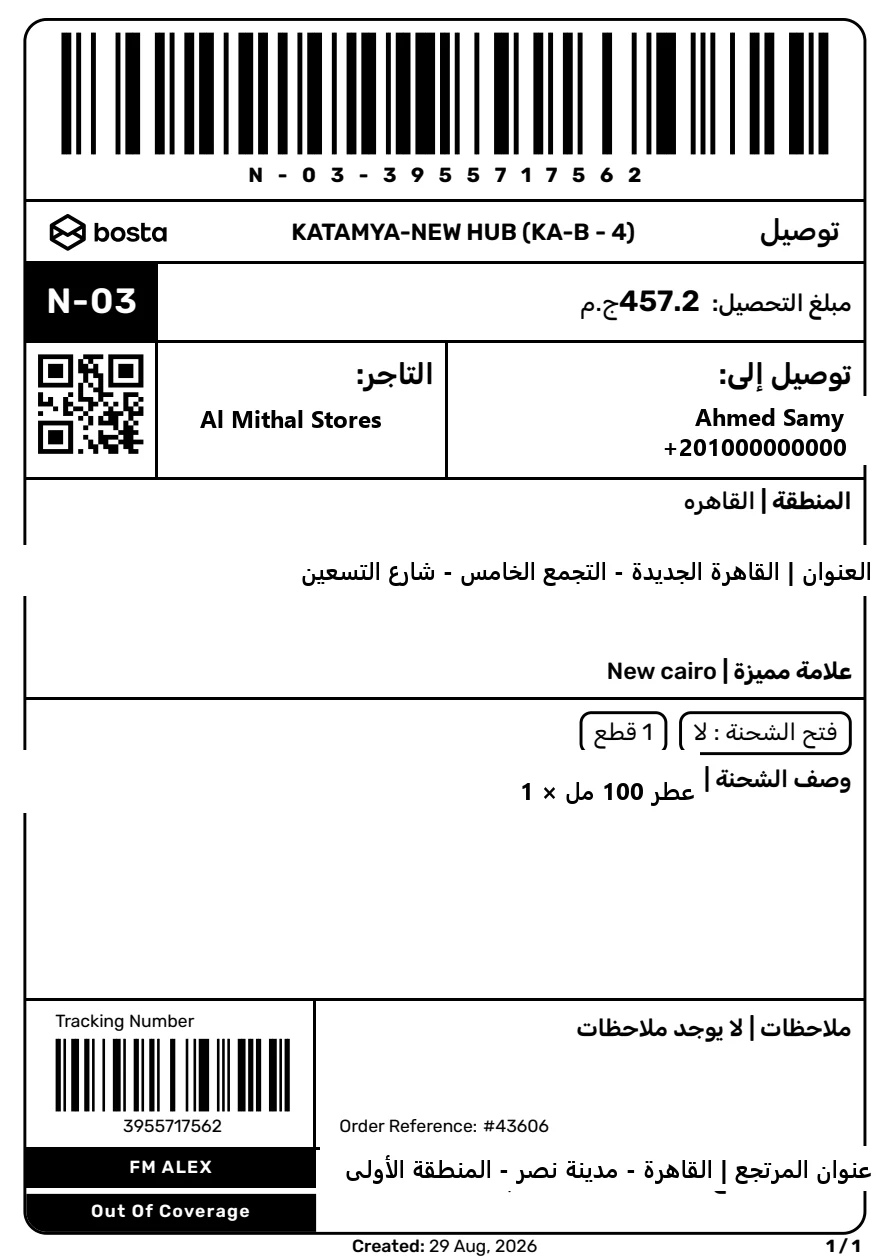
Creating the shipment
Once the order is approved, the system creates the shipment with the courier and gets back:
Shipments can be created automatically on order confirmation, manually for a single order, or for a batch of orders at once.
And once sent, the operation is closed, so the same order can never get two shipments by mistake.
Tracking order status
Courier statuses flow back to the order in the system, so sales and customer service never have to log into each courier's account to hunt for an order.
A shipment typically passes through statuses like:
Updates can arrive the moment they happen via webhook where the courier supports it, or by polling statuses periodically for shipments still in progress.
Final statuses stay clear-cut, and any later change is handled manually when the courier doesn't send updates after delivery.
A failed delivery is not one thing
There's a difference between a customer who never answered, a wrong address, a customer who asked to postpone, and one who refused the product or wasn't ready to pay.
So the reason a delivery failed gets recorded, not just the word "returned".
Based on the reason, you can:
Pieces don't go back to available stock just because a shipment turned "returned". They come back only after they're received, inspected, and their actual condition is set.
Exchanges and returns
An exchange is not a separate new sales order, and a return is not just a canceled invoice.
The process starts from the original order, specifying:
For an exchange, one shipment can deliver the new piece and collect the old one in the same visit.
For a return, a customer pickup is created with no collection amount, and the piece is inspected on arrival:
Financially, a credit note is issued for the actual value of the returned pieces, recording any customer refund and any shipping fees or deductions tied to the case.
And when part of an order is delivered while a return hasn't arrived yet, the invoice can wait until the movement completes, then issue for what was actually delivered, net of the return.
Cash on delivery
When a shipment shows "Delivered", the courier has collected the money from the customer, but that doesn't mean the company has been paid.
The order value stays owed by the courier until the settlement arrives.
The courier's statement is reconciled against the recorded shipments, showing:
When the transfer lands, it's recorded and matched to the invoices and shipments on the statement, while the courier's fees post to their correct accounts.
So an order isn't closed financially because it showed "Delivered", only after the actual collection is reconciled.
Direct transfers alongside the courier
An order may be placed as cash on delivery, then the customer transfers the amount straight to the company via InstaPay or Vodafone Cash.
When that happens:
The goal: every amount shows its source clearly, and no collection is ever counted twice: once against the customer and once against the courier.
Online payments
For an order paid online, the payment links to the order and the invoice, with the sale value separated from:
And when a customer sends a transfer screenshot or proof of payment, it can be recorded as pending review, not automatically as confirmed collection.
Once approved, it's matched to the invoice and the outstanding balance is closed.
Amazon: three different cycles
Selling on Amazon isn't managed as a single channel: FBA, FBM, and Vendor are three different cycles, operationally and financially.
FBA
The company ships stock to Amazon's warehouses, and Amazon handles storage, fulfillment, and delivery.
In the system, you track:
Amazon's stock is treated as its own location: it never shows up as available stock inside the company's warehouses.
FBM
The order comes from Amazon, but the company picks and ships it.
It runs through the usual inventory, picking, and shipping cycle (keeping the Amazon order number and status), then the platform commission and financial settlement are reconciled against delivered orders.
Vendor
Under Vendor, the company doesn't receive the end consumer's order the same way: it receives a purchase order from Amazon.
The cycle tracks:
So Vendor orders are never mixed with FBA or FBM, in operations or in reporting.

The other marketplaces
Every marketplace has its own catalog, matching codes, stock, commissions, and settlements.
The system keeps separate:
So platforms are compared by net return, not just gross sales.
The platform with the highest sales can turn out the least profitable once commissions, returns, and fulfillment fees are added.
Customer service sees the whole order
Customer questions and complaints link to the order, instead of living as separate conversations on WhatsApp, Instagram, or email.
Opening the order, the customer service agent sees:
Every issue type gets a clear path, a response time, and an owner, instead of bouncing the customer between sales, the warehouse, and accounting with no single record of what happened.
Profit is not the order value
Total orders received aren't your sales, and total delivered orders aren't your net profit.
Each order's true result is computed after adding up:
Profitability then breaks down by:
So channels get compared on what they actually netted, not on the order count in the store dashboard.
Every team owns a clear piece
| Role | Responsibility in the cycle |
|---|---|
| Product management | Coding, variants, photos, prices, and channel mapping |
| Marketing | Campaigns, order sources, and reading actual conversion |
| Confirmation team | Verifying customer, address, and order, logging cancellations and reasons |
| Warehouse | Reservation, picking, scanning, and handover to the courier |
| Shipping coordinator | Labels, statuses, attempts, and returned shipments |
| Customer service | Inquiries, complaints, exchanges, and returns |
| Marketplace manager | Amazon and the other marketplaces, their stock and settlements |
| Accounting | Invoices, collections, commissions, and reconciliations |
| Purchasing & planning | Keeping products stocked in line with demand and stock levels |
| Management | Performance, profitability, and exceptions |
- Responsibility in the cycle
- Coding, variants, photos, prices, and channel mapping
- Responsibility in the cycle
- Campaigns, order sources, and reading actual conversion
- Responsibility in the cycle
- Verifying customer, address, and order, logging cancellations and reasons
- Responsibility in the cycle
- Reservation, picking, scanning, and handover to the courier
- Responsibility in the cycle
- Labels, statuses, attempts, and returned shipments
- Responsibility in the cycle
- Inquiries, complaints, exchanges, and returns
- Responsibility in the cycle
- Amazon and the other marketplaces, their stock and settlements
- Responsibility in the cycle
- Invoices, collections, commissions, and reconciliations
- Responsibility in the cycle
- Keeping products stocked in line with demand and stock levels
- Responsibility in the cycle
- Performance, profitability, and exceptions
The confirmation team can't edit stock, the warehouse can't close a return financially, and accounting doesn't count an order as collected before the collection document and reconciliation exist.
The numbers that show what's really happening
Instead of stopping at total orders and sales, the core operating metrics surface:
One cycle per order
Odoo runs the online cycle end to end: from defining the product and linking it to channels, through the order, confirmation, stock reservation, picking, and shipping, to delivery, collection, exchanges and returns, and the accounting settlement.
Every step creates the next, and every document stays linked to the original order.